Build a working theatre
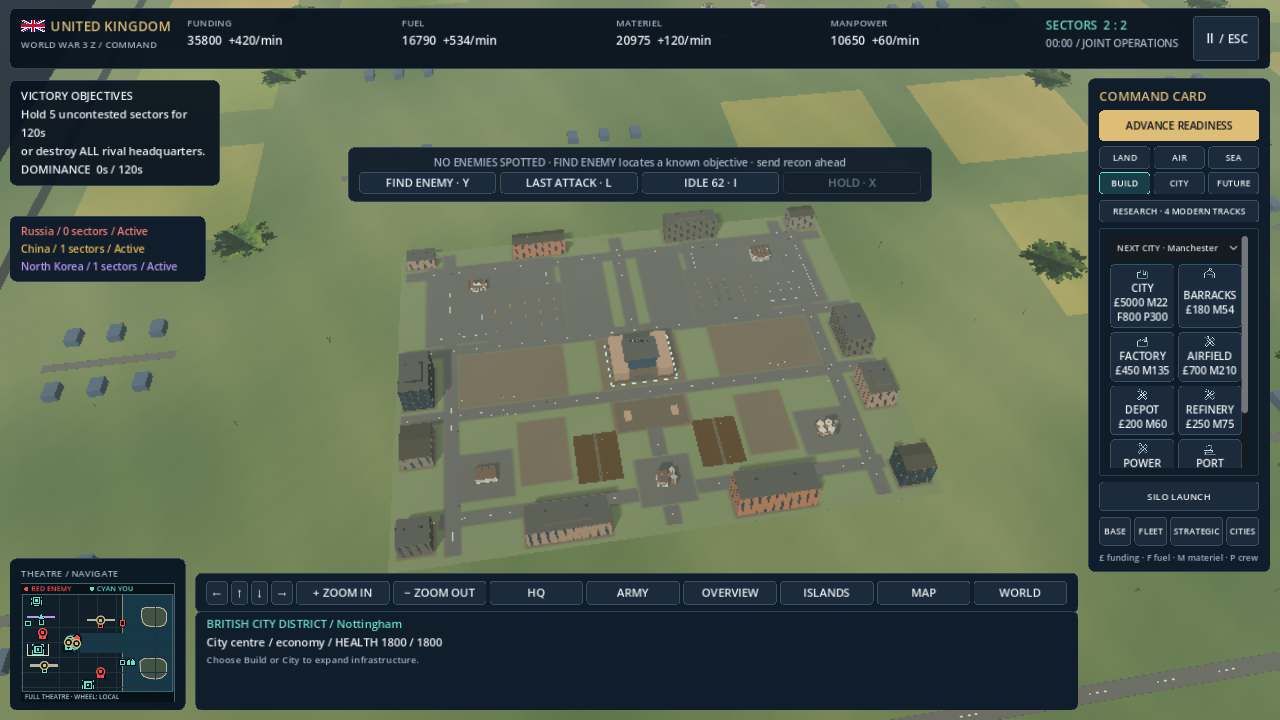
Place cities and military infrastructure. Recruit tanks from factories, troops from barracks and ships from ports. Expand with airfields, services, farms and power facilities.

A modern strategy game set in a fictional 2026 conflict. Build cities and bases, command land, air and naval forces, then step into a soldier or vehicle on the battlefield.
YOUR OPERATION, YOUR PACE
Begin with room to build. Grow your infrastructure, choose the forces you need and decide when the fighting starts.
Place cities and military infrastructure. Recruit tanks from factories, troops from barracks and ships from ports. Expand with airfields, services, farms and power facilities.
A local operation can include up to three rival countries. World conquest links battles through country ownership on the atlas; each front remains a playable local theatre.
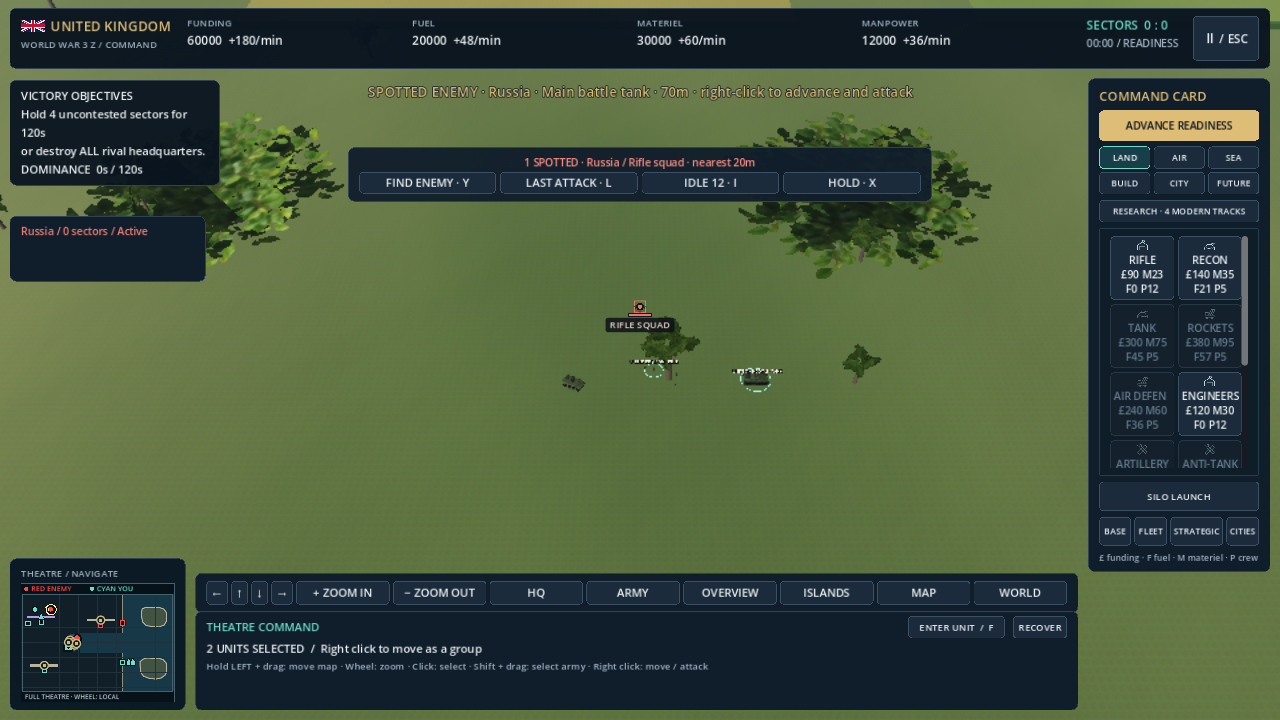
Select a soldier or vehicle and press F for direct control. Move with WASD, aim with the mouse and fire with the left button. Press F to return to command.
A SIMPLE PLACE TO START
Choose Free Play for unlimited resources, unlocked production and the existing survival assist. Build freely and learn your forces before trying an ordinary campaign.
Free Play progress is session-only. Recruitment and research still take their normal time. Optional build peace gives you a quiet start; Enter begins combat when you are ready.
Your first five minutesNEW IN DEVELOPMENT / CONNECTED STREETS
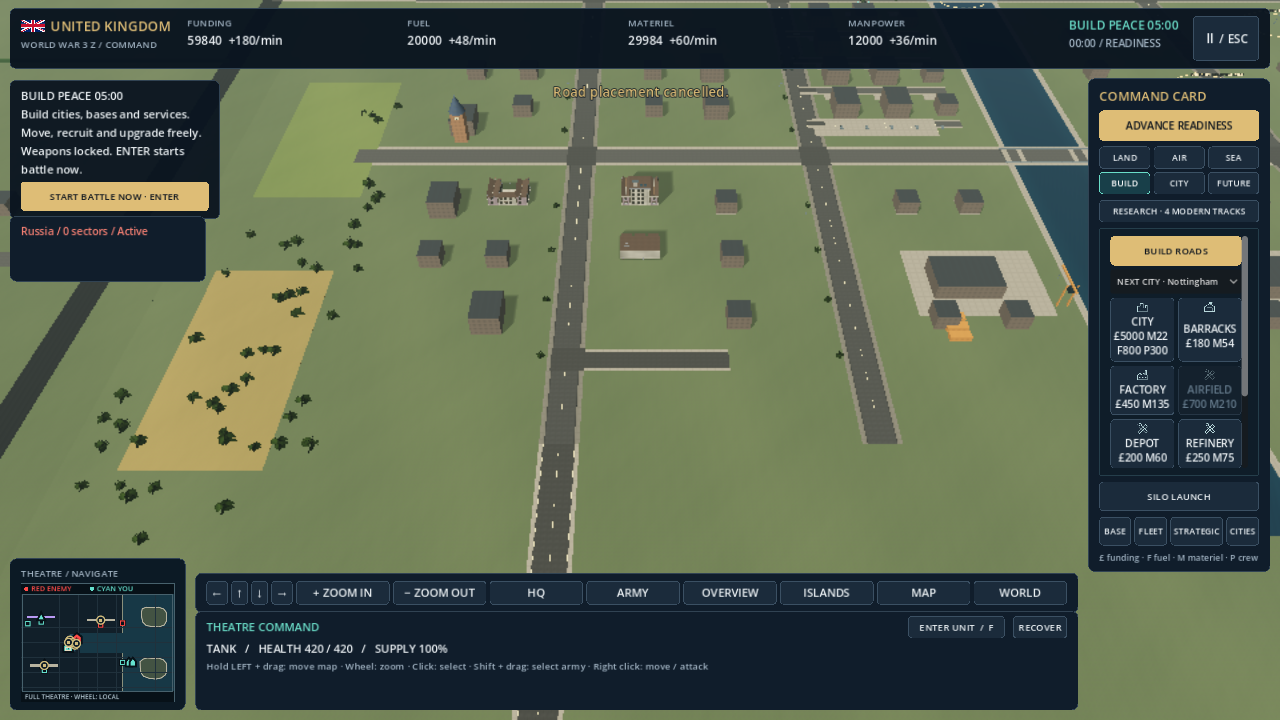
Select BUILD ROADS, click a clear starting point, then choose the end. A live preview shows the length and resource cost before you commit. Roads snap to nearby streets and make connected corners.
Green means the route can be built; red means it is blocked. Keep roads clear of buildings, water, active runways and taxiways. Existing bridges remain the route across water.
Shift-click the end to continue from the new junction. Right-click or Escape cancels placement. Middle drag and the minimap still move your command camera.
Ordinary roads must join an existing street; new pavement costs Funding and Materiel and the network saves locally. Free Play also allows separate roads, uses unlimited resources and keeps its session-only progress.
A WORLD TO NAVIGATE
The atlas uses real-world country outlines, relief and city locations. Zoom from the world to a country, then a city or built base. Nottingham is included in the UK city list.
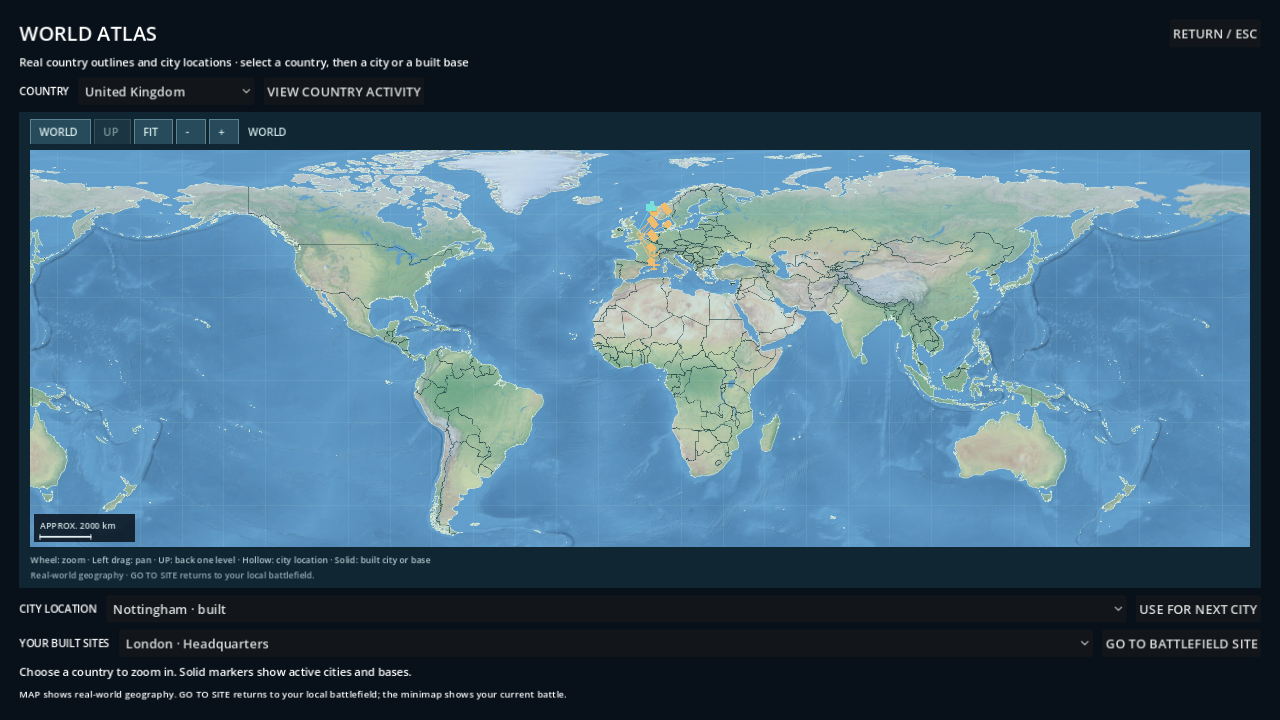
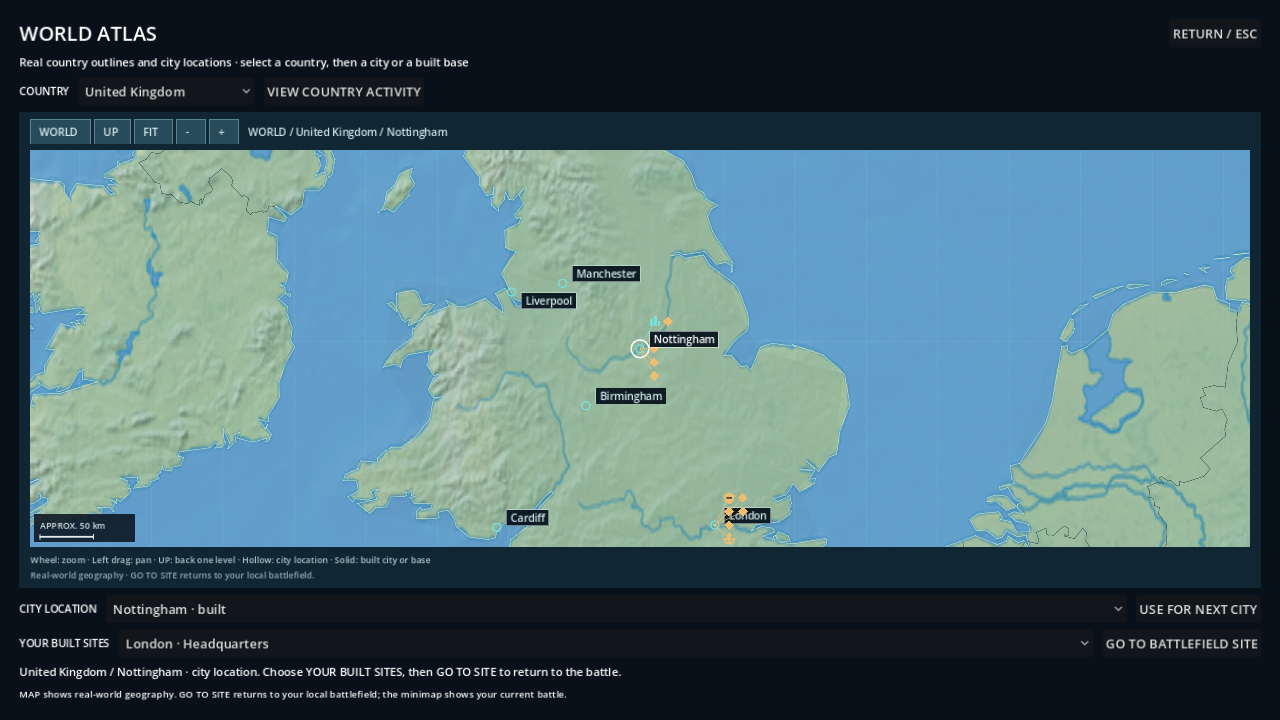
The atlas is geographic navigation. Built-site travel returns you to the local battlefield; it is not a seamless simulation of every city on Earth. Country doctrines and equipment are game interpretations.
LESS SEARCHING. MORE COMMANDING.
Choose CONTROLS on the deployment screen, or press Escape and use the pause/options menu. Both presets use right-click for orders and the wheel to zoom.
Hold the left button and drag to move around the map. Shift + left drag selects a group.
Left drag selects your army. Middle drag moves around the map. Double-click selects matching friendly units in view.
Cycle spotted enemies. When none are detected, locate a known objective and send reconnaissance.
Return to the latest damage location for your own forces.
Find friendly troops waiting for orders.
Stop selected troops in place and defend.
Use the minimap to navigate with left-click or drag, order with right-click and switch local/theatre scale with the wheel. Hidden and submerged hostile units do not appear as red unit contacts. Known enemy headquarters are separate objectives.
DEVELOPMENT STATUS / 10 OCTOBER 2026
The current build is a Windows single-player development game. Connected road construction is now included in the tested source build. Visual polish, road interactions and low-end performance qualification continue. The road image shows a later Windows source build; atlas, command and city images show an earlier development revision. Release-export qualification is still pending.
There is no public game download or purchase link on this page. Release date, price and final system requirements have not been announced. Online multiplayer is not included in the current build.
Game support Read the privacy notice